


Answer
Lightning Payroll generates pay-related reports by collecting completed pays whose dates fall within the Start Date and End Date you enter. By default it matches pays using the Pay Run End Date ÔÇö the last day of the pay period. If you tick Use Processed Date?, it matches instead using the Processed Date ÔÇö the date the pay was finalised and saved.
What does Use Processed Date? do?
- Unticked (default): The report includes pays whose pay run end date falls within the selected date range.
- Ticked: The report includes pays whose processed date falls within the selected date range.
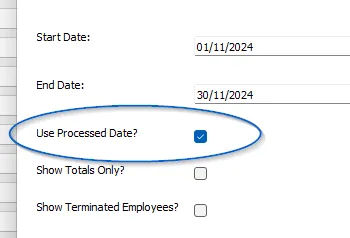
In the desktop app this option appears in the date filter area of most reports and in the custom report builder. In the online (web/mobile) app it appears when you launch a custom report via Reports >> Launch Custom Reports, and in the Report Builder when saving or running a custom pay or employee report.

Why might my report totals look wrong?
The most common cause of unexpected report amounts is a mismatch between the date range entered and the date type being used. Consider a pay run covering 26 September to 9 October, processed on 10 October:
- With Use Processed Date? unticked, a report for 1ÔÇô31 October will include this pay run because the end date (9 October) falls in October.
- With Use Processed Date? ticked, the same report will also include this pay run because the processed date (10 October) falls in October.
- However, a report for 1ÔÇô9 October with Use Processed Date? ticked will not include this pay run, because the processed date (10 October) is outside that range ÔÇö even though the pay period ends on 9 October.
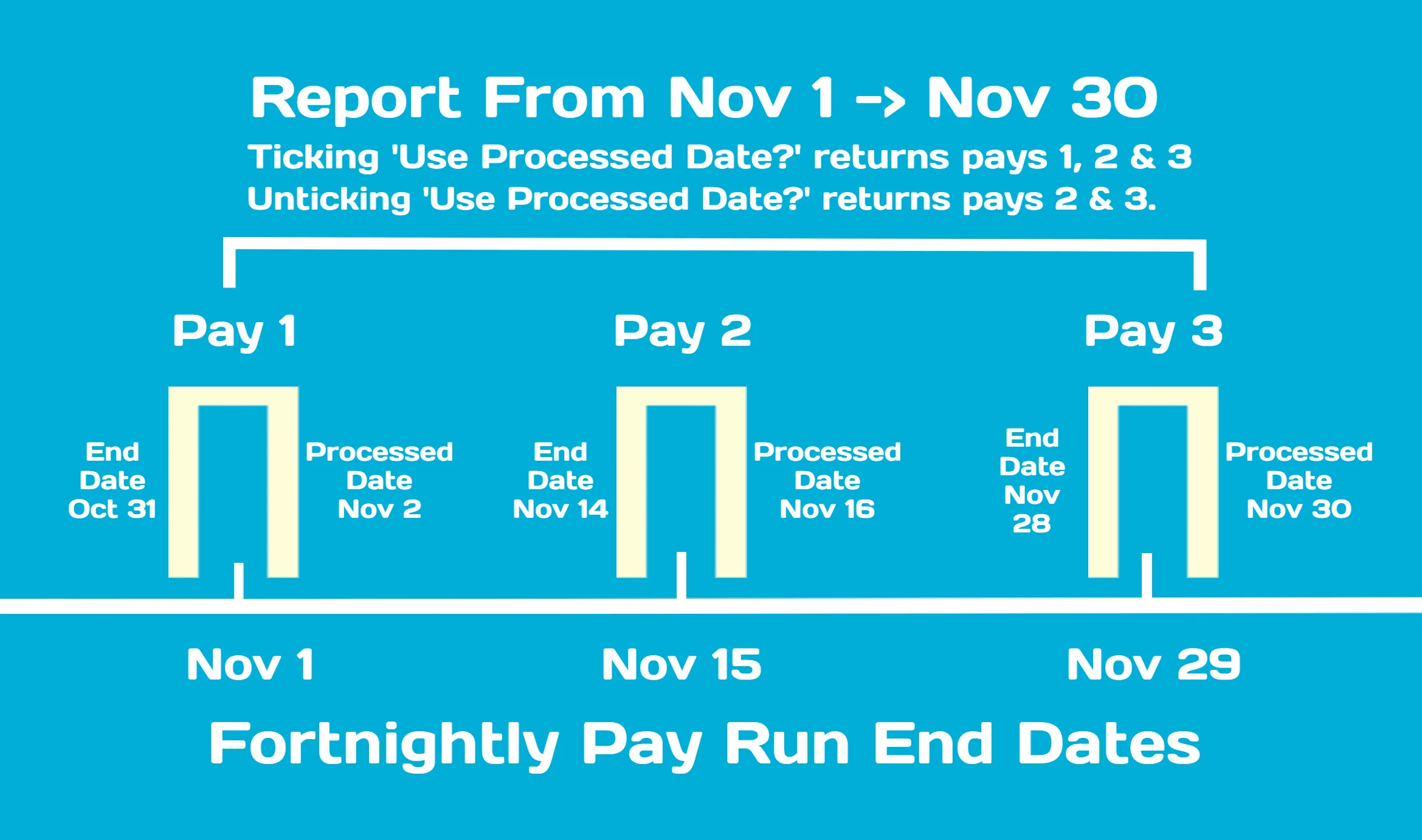
To fix a discrepancy, check that your Start Date and End Date cover the correct pay runs, and confirm whether Use Processed Date? is ticked or unticked for your needs.
Single Touch Payroll and processed dates
All Single Touch Payroll (STP) amounts and reports are always gathered by processed date, regardless of this setting. If you are comparing a standard report against STP figures, make sure the standard report is also run with Use Processed Date? ticked and the same date range. See also Why Do My Report Amounts Not Match My STP Submission?
For information on changing the processed date or pay end date on a completed pay, see How Do I Change The Processed Date Or Pay End Date For Completed Pays?

