


Answer
Lightning Payroll is a desktop program for Windows and Mac OSX, plus a web/online application and a mobile app. We update the software regularly with new features, performance improvements and bug fixes, usually every four or so weeks. Updates install themselves via an automatic download.
When a desktop update is available, you are prompted to update the moment you open the program.
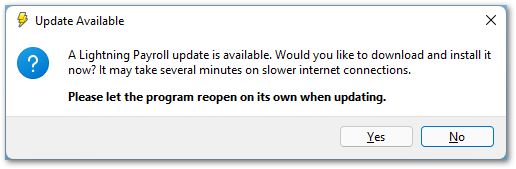
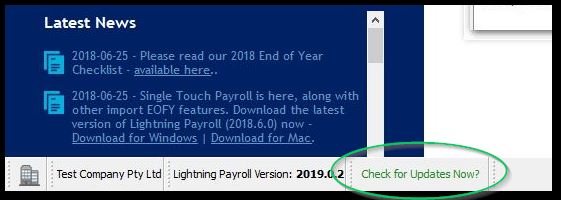
You can also check at any time by clicking Check for Updates Now? at the bottom of the program window. The web and mobile apps always keep themselves up to date automatically. (Mobile app updates depend on your app store being set to update apps automatically.)
For the desktop version, reinstalling or updating the software resolves most issues should they arise.
If updating from within the program fails, you can download and install the latest version directly from the links below. Your data is safe and is not affected by reinstallation. Please make sure Lightning Payroll and any error messages are completely closed before reinstalling.
Download for Windows 64-bit (Windows 8.1 and above, with the latest Windows updates installed)
Download for Windows 32-bit (Windows 8.1 and above, with the latest Windows updates installed)
Download for Mac OSX (version 10.14 Mojave and above)
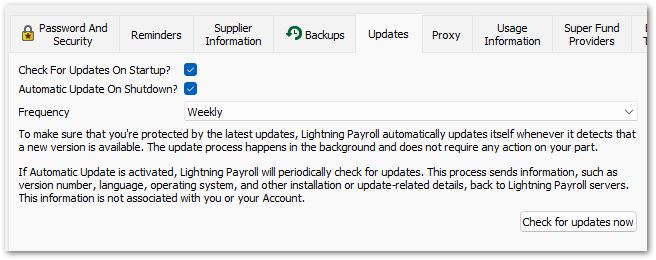
To turn updates on or off, or to change other update preferences, go to Settings >> Updates.
Legacy Versions (Windows 7, Mac OSX 10.12 / 10.13)
Legacy versions no longer receive any updates, including tax tables and super rate changes, so they must not be used to run pays. Please move to a current version of Lightning Payroll on a supported operating system, or switch to Lightning Payroll online.
Newer versions of Lightning Payroll were rebuilt on the latest base software and libraries to stay secure and perform well on current Windows and Mac releases. As part of that work we had to drop support for Windows 7, Mac OSX 10.12 and Mac OSX 10.13.
If you still need to open older data on one of those systems, the final legacy installers remain available below for reference only:

