


Answer
Lightning Payroll includes several tools that help you track changes made to your data and files. The main ones are below.
Change History (under the Tools menu)
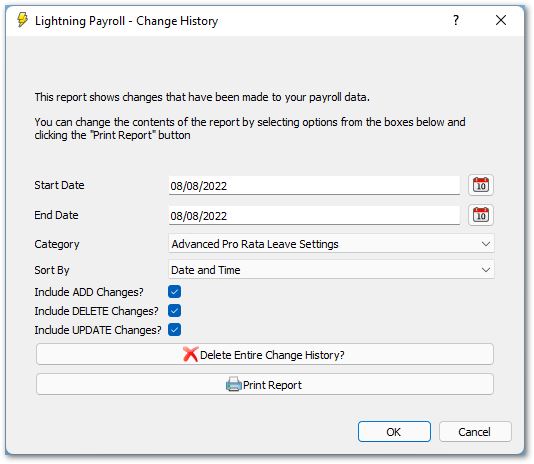
The Change History tool records the creation, deletion, and modification of many data types throughout the program, including when the program is opened and when an employee's settings are changed. Enter the date range you want to review, choose a category, then click Print Report.
You can manually delete (flush) the change history if you wish, since it can take up a fair chunk of your database size, which sometimes affects performance. Deleting the change history does not affect your payroll data in any way.
Direct Entry Saved File Report
This report tracks the direct entry files made to pay wages or super. You can see when and where each file was saved, and what payment information (account details, reference numbers, and so on) was in the file.
Machine Credential Keystore Information Report
This report scans both the standard ATO keystore directory and the Lightning Payroll data directory for any valid machine-to-machine (M2M) credential keystore (.xml) files. It shows every credential in each file along with its metadata.
Backup History Report
This report lists all backups created and restored, giving you a history of database file changes.
Email Sent Report
This report gives detailed information about emails sent from the program and the settings that were used. It is useful for troubleshooting outgoing mail server issues and for tracking which emails (payslips, reports, rosters, and so on) were sent, when, and to whom.

