Answer
A backup (.LPB) file is normally restored under the Tools menu of Lightning Payroll. If the Restore Backup option is greyed out or unavailable, you are either on a trial licence or unlicensed (your licence may have expired). Creating and restoring backups is only available to users on a paid subscription.
If you only need to restore a backup to view old data, you can open Lightning Payroll in a read-only (unlicensed) mode. You cannot make any changes in this mode, but you can restore backups.
To switch from trial mode to unlicensed (read-only) mode, delete the trial licence file manually while the application is closed. This file is called license.txt and lives in the following location depending on your operating system:
- Windows: C:\Users\<your user folder>\AppData\Roaming\Lightning Payroll\license.txt
- Mac: ~/.LightningPayroll/license.txt
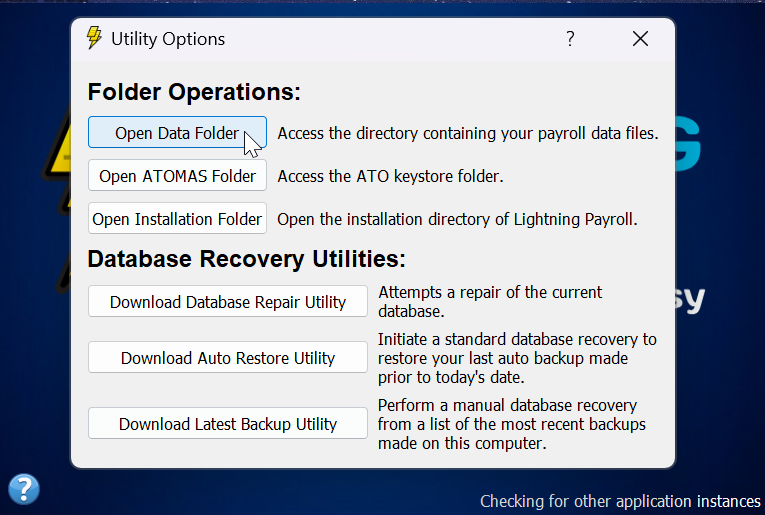
An easy way to reach the data folder is to click the ? in the lower-left corner of the start-up screen when you open the program, then choose Open Data Folder.
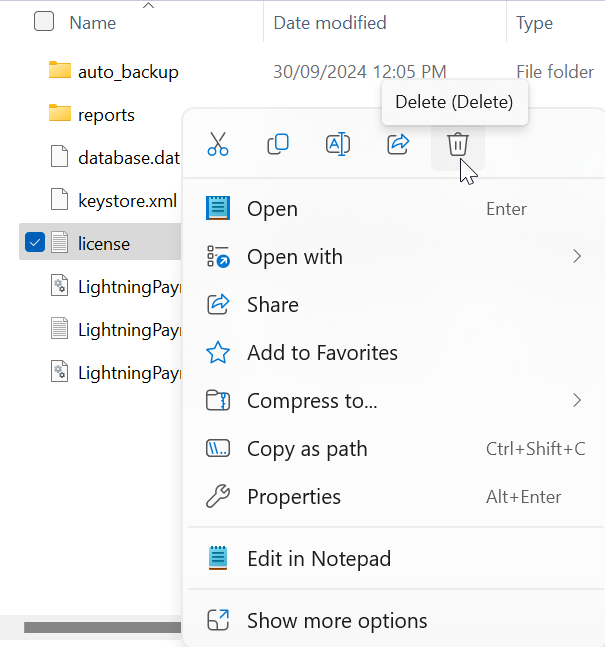
Right-click the license.txt file and delete it. Note: the picture below is for a Windows user.