


Answer
If your pay run dates need to change for pays going forward, go to Company >> Pay Dates and click Edit. This lets you set the recurring pay day for the relevant pay cycle (weekly, fortnightly or monthly), and the pay runs adjust their dates accordingly.
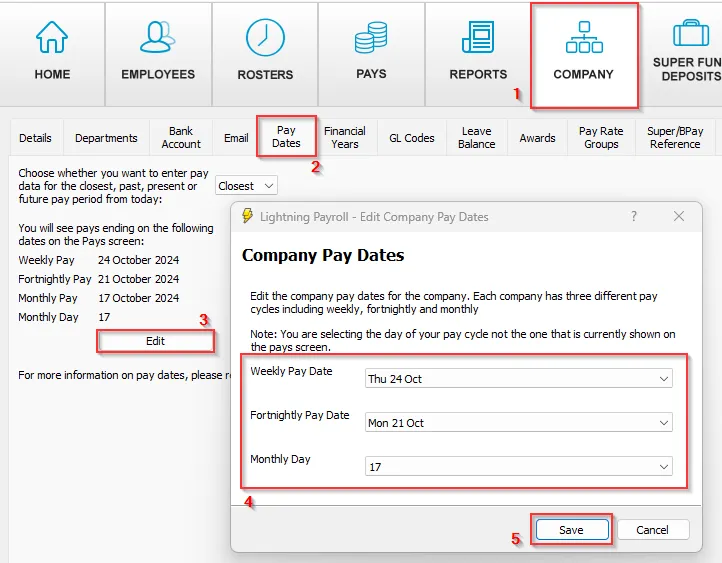
Note: you are choosing the day of your pay cycle, not the period currently shown on the Pays screen.
If you have made mistakes with past, completed pay run dates, our support staff may be able to assist.

