Answer
Add, Delete or Change a Credit Card
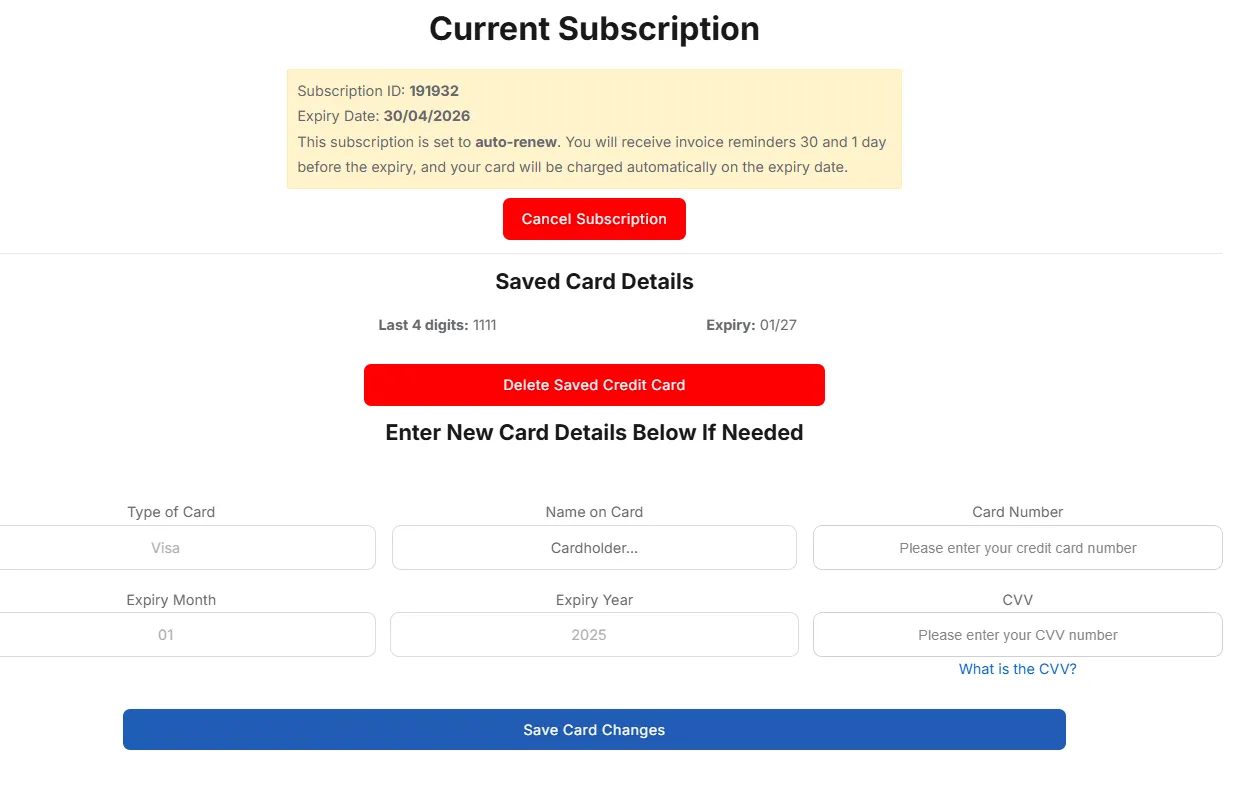
To add, delete, or replace a saved credit card:
- Log in to your Client Account Area.
- Go to Account Details and select Update credit card & auto renewals.
- You can choose to add a new card or delete the existing card details.
- Entering a new card will override the existing saved card if there is one.
Important security note: The support team can only remove or replace a saved credit card by phone or email if you can provide the last four digits of the currently saved card. This verification step confirms ownership of the payment method.
If you cannot provide these details, the support team can either:
- Issue a direct deposit invoice (available for annual subscriptions only), or
- You can log in to your account and manage your own card details as shown above.
Only the last four digits and expiry date of your card are stored, securely handled by the payment partner Till Payments.
Subscription Auto Renewals
Lightning Payroll offers both monthly and annual subscriptions. Monthly subscriptions are only available via credit card and must be set to auto-renew.
Your subscription will automatically renew on the expiry date using your saved credit card. A confirmation email is sent each time your subscription renews, which also serves as your renewal reminder and invoice.
You can cancel your subscription at any time using the Cancel Subscription button. If cancelled, the subscription will expire at the end of the current billing period. Use the Restart Subscription button to reactivate it at any time.
- Monthly subscriptions do not support direct bank transfers.
- Auto-renew is required for monthly subscriptions.
- No separate reminder emails are sent prior to expiry ÔÇö the renewal confirmation email acts as your notice.
- If a renewal fails (for example, due to an expired card), your subscription will expire and you will need to resubscribe manually.
Saved Card at Checkout
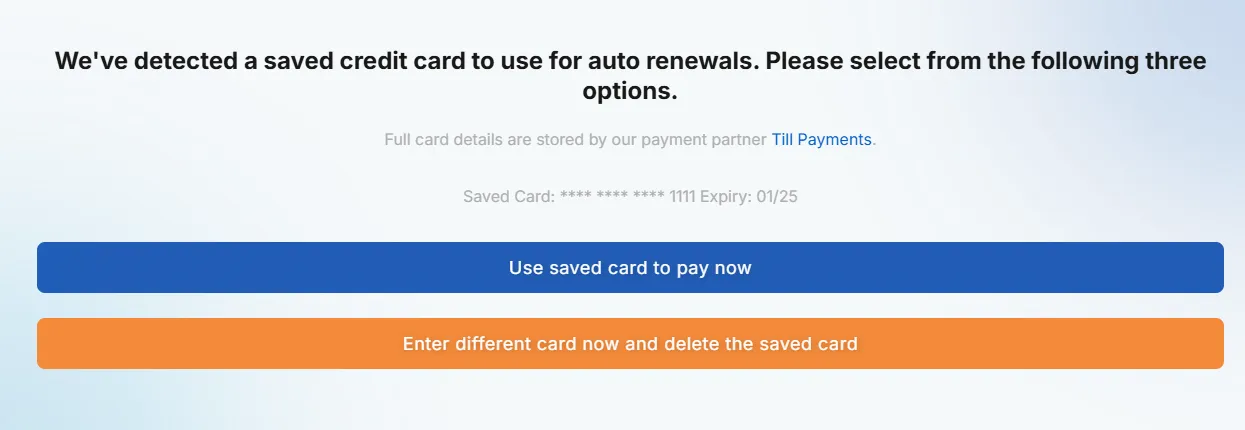
When you have a credit card saved on file, the checkout page will offer:
- Use saved card
- Pay with a new card
Any card used during checkout can be saved for future renewals. If saved, it becomes the active card for your subscription.