


Answer
As of 10 January 2025, we introduced a new subscription structure. Previously, subscriptions allowed unlimited companies. Standard (non-agent) subscriptions are now limited to 10 active companies.
We communicated this change ahead of time through emails (2 April 2024, 11 September 2024, 11 November 2024 and 24 January 2025), notices on our website, and in-app popups for customers managing more than 10 companies. When acknowledged, that popup is recorded under Tools >> Licence Details.
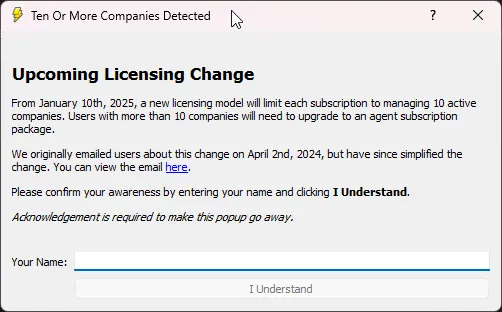
How the Company Limit Works
A company only counts towards your limit if it has at least one active (non-terminated) employee. If you no longer use a company, terminate all of its employees and it is excluded from your active company count, freeing up a slot for another company.
In the desktop app: open the employee’s pay and click the Terminate Employee button in the Edit Pay screen, or use Tools >> Bulk Termination Wizard to process several employees at once.
In the online (web/mobile) app: open the employee’s pay and select Termination Wizard (AU) or Employment Finish (NZ) from within the Edit Pay screen, or go to Tools >> Bulk Termination to process several employees at once.
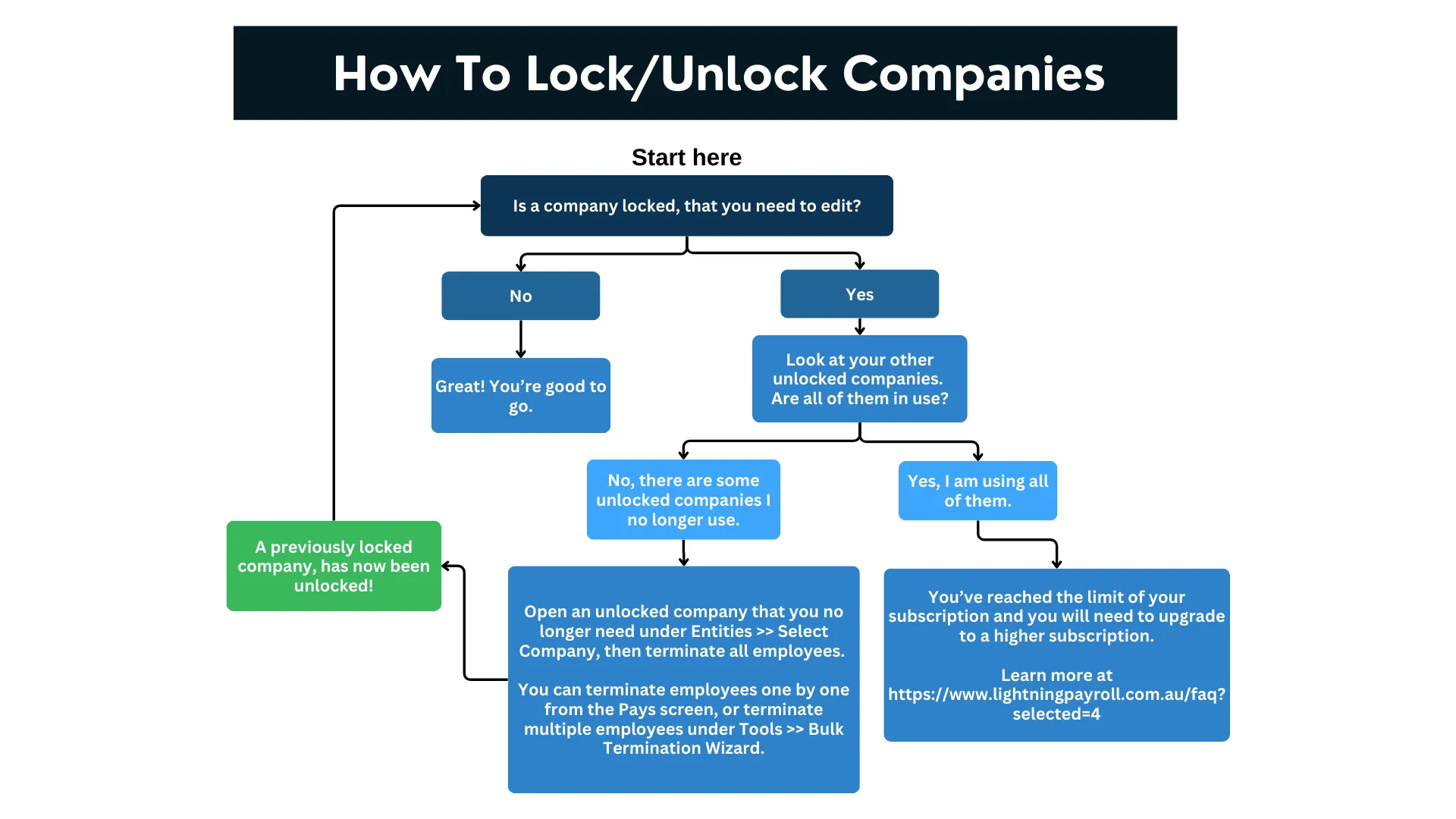
What Can I Do?
If you are affected by the 10-company limit, your options are:
- Terminate all employees in unused companies – a company with no active employees no longer counts towards your limit, freeing a slot.
- Upgrade to an Agent subscription – if you need to manage more than 10 companies, an Agent subscription supports a much larger company count. See our pricing page for details.
- Convert your current subscription to an Agent package – contact us and we can convert the remaining value of your current subscription towards an Agent subscription, so you can upgrade without paying the full amount up front.
If you need help choosing the right plan, our support team is happy to assist. You can also read our guide on how to upgrade.

